Dental Clinic Software Features
Every module of Dentrah, from the front desk to the dental chair.
Dentrah is dental clinic management software for clinics in India. This page describes what each module does: patient management, appointment scheduling, the odontogram, examinations, treatment plans, prescriptions, dental billing, doctor commission, inventory, accounting and reports.
Quick answer
Dentrah has twelve modules: patients, appointments, a 32-tooth odontogram, examinations, treatment plans, itemised billing with part payments, prescriptions, doctor revenue share, inventory, cash-basis accounting, reports, and staff and branch permissions. They run in a browser and on Android and iOS. The free month and recommended plan include every module; the limited plan omits the clinical and accounting modules.
All dental practice management modules at a glance
| Module | What it does |
|---|---|
| Patients | Profile with MRN, medical history, allergies and alerts, and one timeline merging appointments, examinations, treatment plans, procedures, prescriptions, invoices, payments and uploaded files. |
| Appointments | Drag-and-drop scheduler by doctor and time slot, with a live queue. Staff send one-tap WhatsApp reminders from the appointment row using templates the clinic writes. |
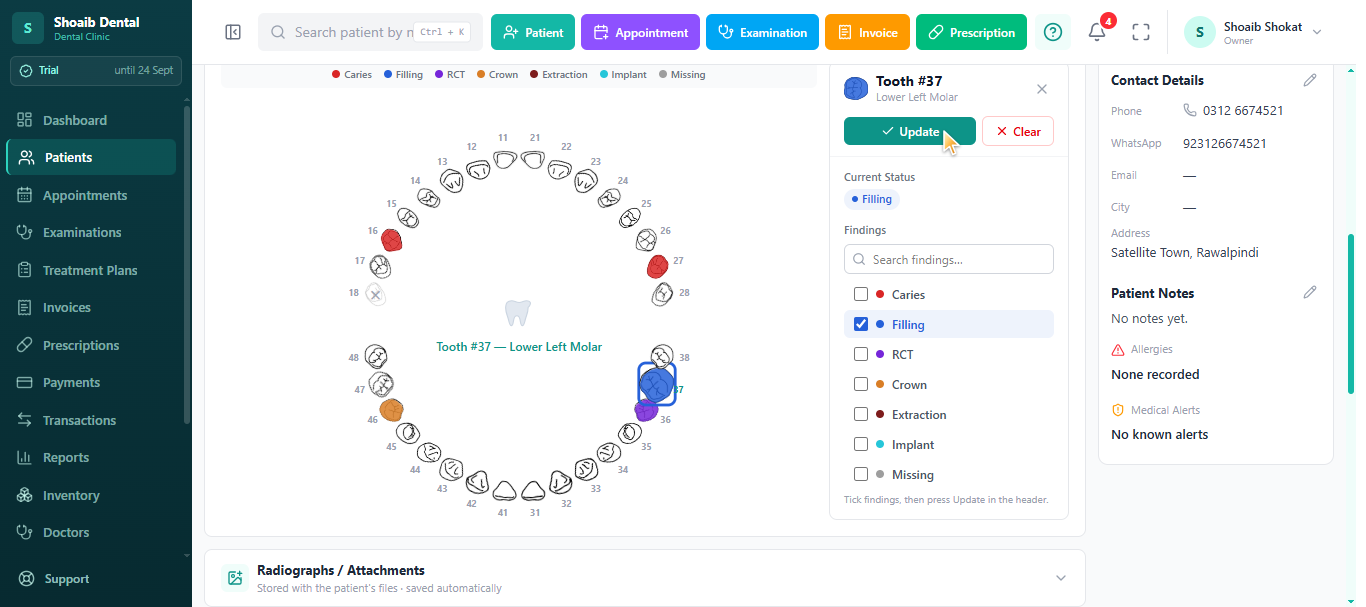
| Dental charting | Interactive 32-tooth odontogram; each tooth records findings such as caries, filling, RCT, crown, extraction, implant or missing. |
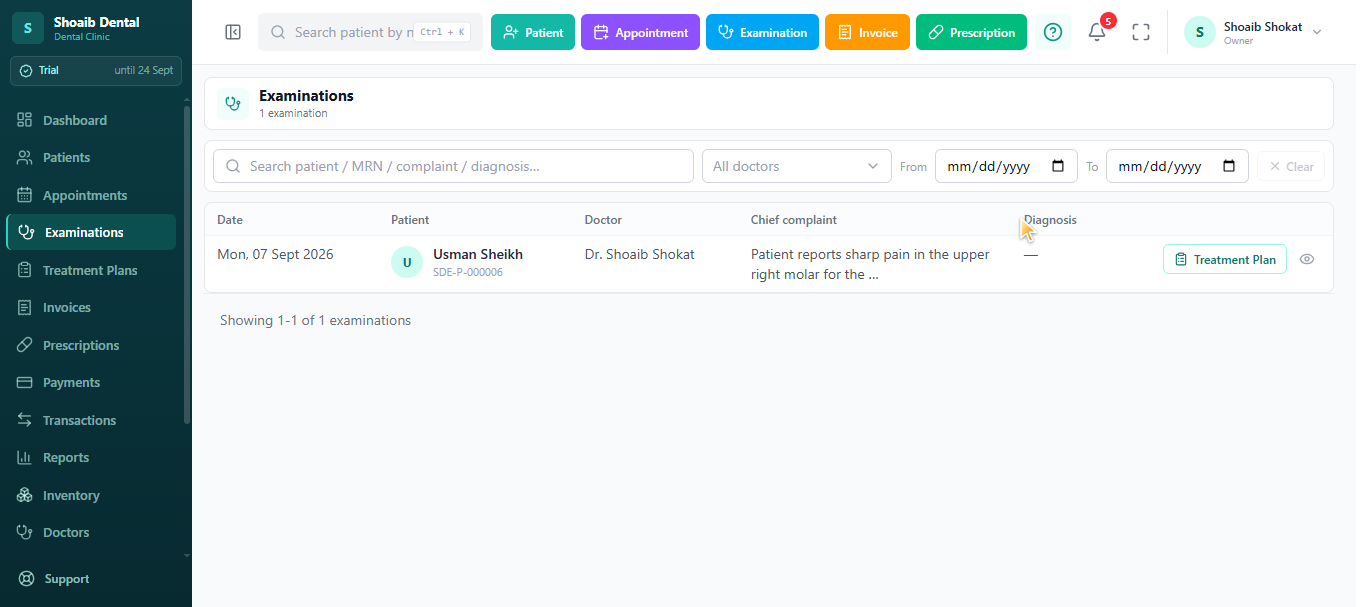
| Examinations | Clinical examinations and investigations, including radiographs, whose findings feed treatment plans. |
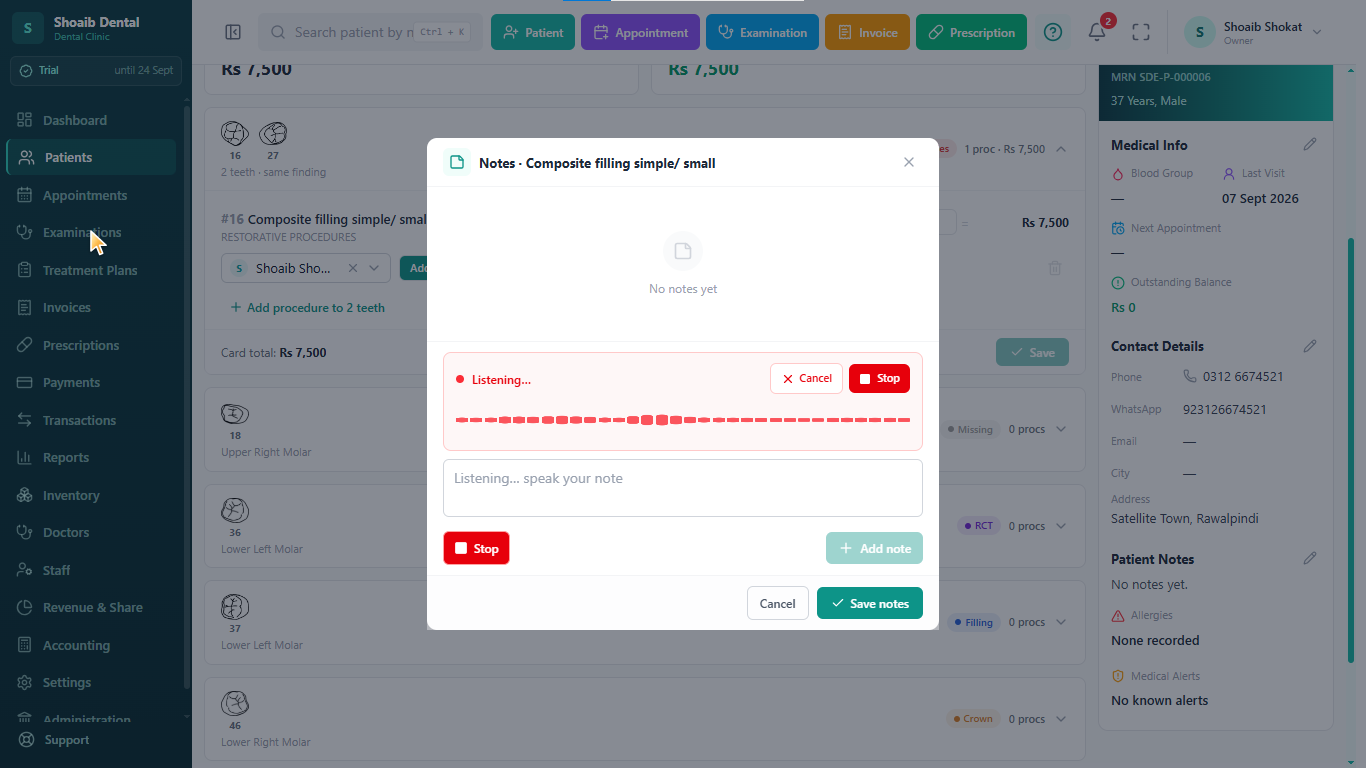
| Treatment plans | Built from examination findings, priced per procedure, tracked from started to finished, with notes on the plan and on each procedure. Notes can be dictated by voice in the browser. |
| Billing | Itemised invoices (quantity, price, discount per line), part payments, outstanding balances, printed on the clinic letterhead. Payments recorded as cash, card or bank transfer. |
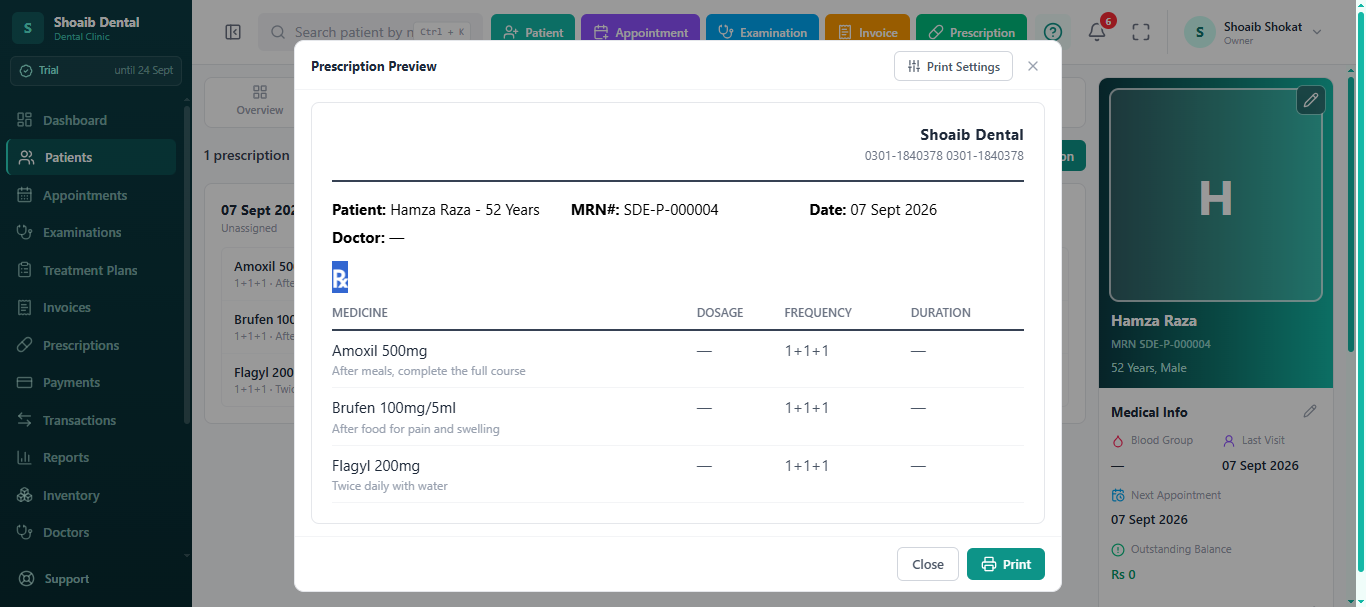
| Prescriptions | Medicine catalogue fills dosage, frequency and duration; printed on the clinic letterhead. |
| Revenue share | Associate commission calculated per invoice line on net (after discount, lab cost and procedure cost), with payouts recorded. |
| Inventory | Stock levels with low-stock alerts. |
| Accounting | Cash-basis clinic accounting, expenses and transactions. |
| Reports | Revenue, appointments and collections reports, rolled up across branches. |
| Staff and branches | Individual staff logins with per-module permissions; multiple branches in one account. |
Which modules each paid plan includes is shown in the plan comparison on the pricing page.
Patient Management and Appointment Scheduling
The front-desk side of dental clinic software: who the patient is, when they are coming and which doctor sees them.
Clinic Dashboard and Live Queue
The dashboard opens on the clinic's day: the appointment scheduler across every doctor, the live queue of patients waiting, and quick access to the main modules for dentists and front-desk staff.
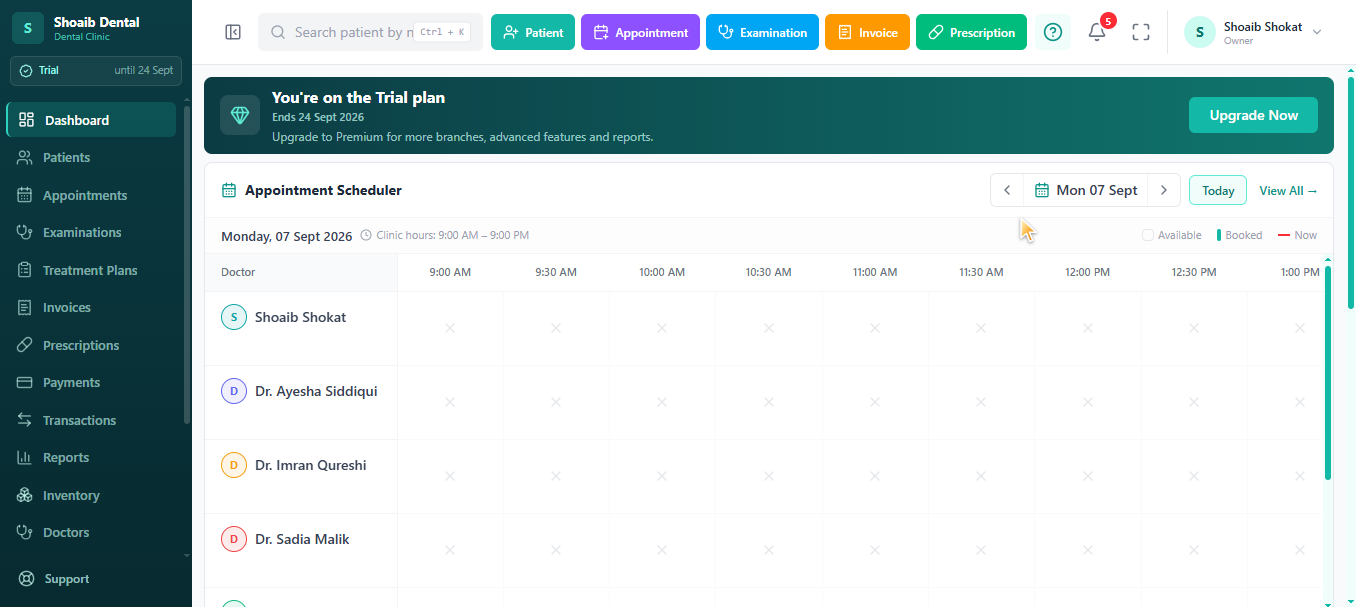
- Today's appointments by doctor and time slot
- Live queue of arrived patients
- Quick navigation to patients, billing and other modules
Dental Patient Management
Each patient has a digital record with an MRN, contact details, medical history, allergies and alerts. One timeline merges the patient's appointments, examinations, treatment plans, procedures, prescriptions, invoices, payments and uploaded files, so staff stop searching paper files.
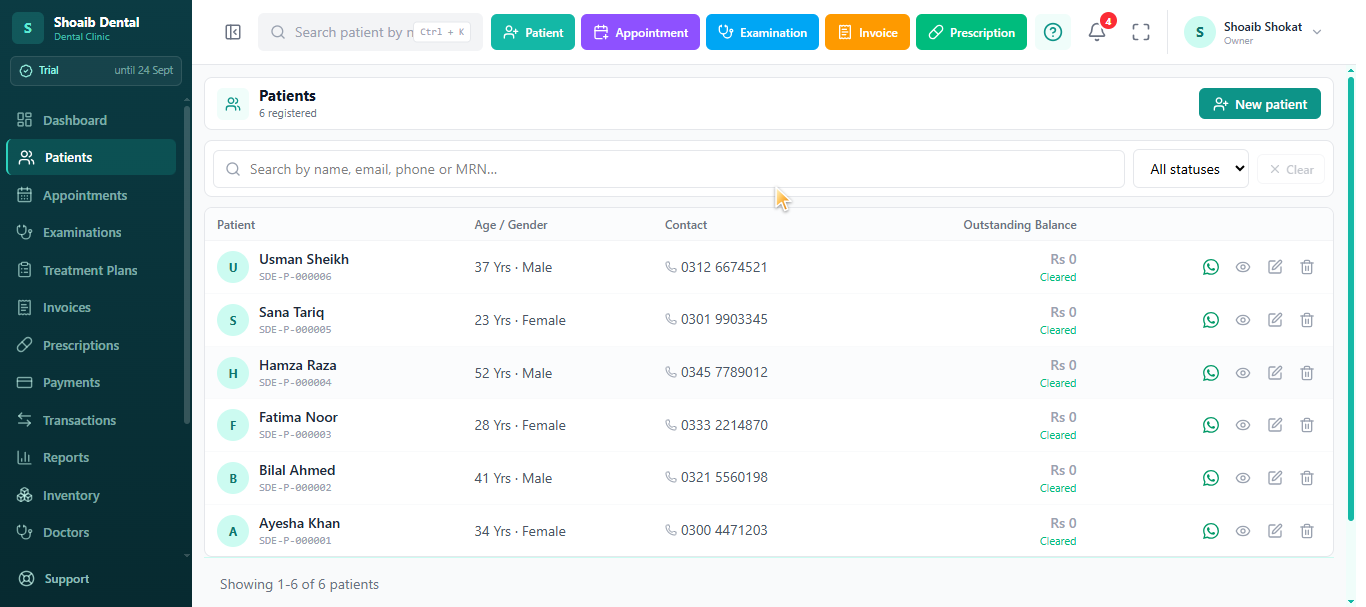
- Name, phone, email and WhatsApp number
- Gender, date of birth and age, blood group
- Area and city, referral source
- Medical history, allergies and alerts
- Outstanding balance on the patient record
Dental Appointment Scheduling
Staff book appointments in a drag-and-drop scheduler by doctor and time slot, recording visit type, presenting complaint and proposed procedure. Reminders go out with one tap on WhatsApp from the appointment row, using templates the clinic writes. Reminders are sent by staff; there is no automated bulk sending and no patient self-booking.
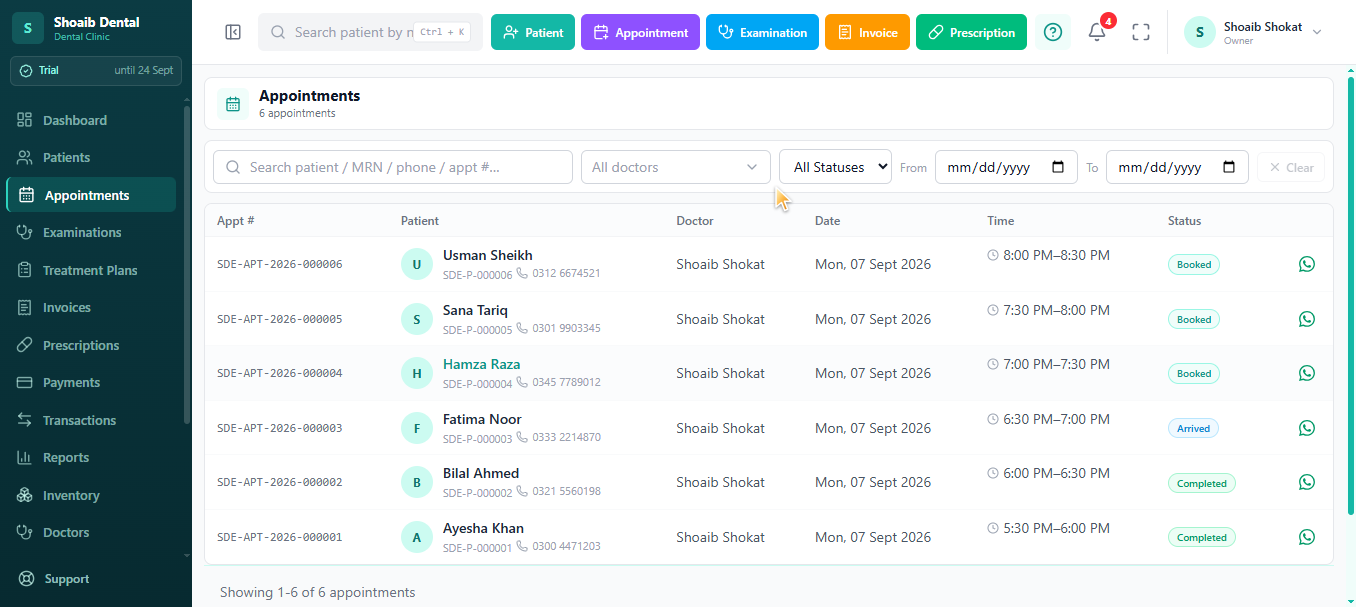
- Drag-and-drop booking by doctor and slot
- Visit type, presenting complaint and proposed procedure
- Appointment status and live queue
- One-tap WhatsApp reminders from clinic templates
Doctors, Staff and Branches
Each doctor has a specialisation, a commission percentage and a weekly schedule of working days, start and end times, appointment duration and serial type. Every staff member gets an individual login with per-module permissions, and one account can run multiple branches.
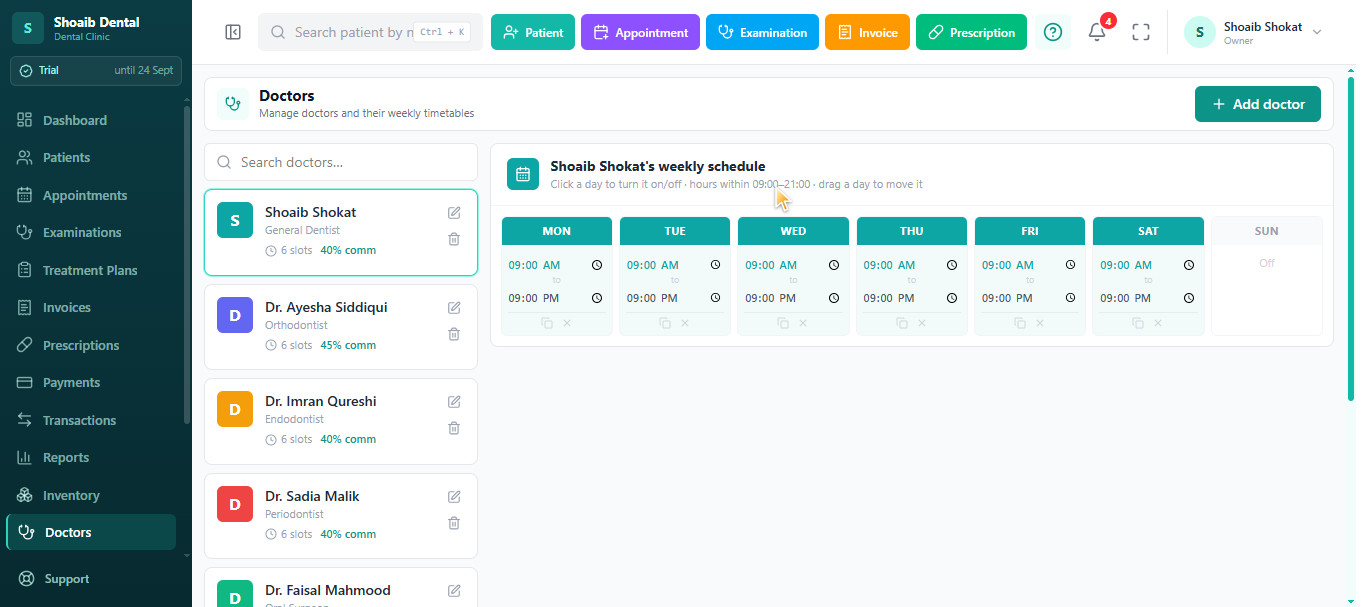
- Weekly availability per doctor
- Individual staff logins with per-module permissions
- Multiple branches in one account
Dental EMR: Charting, Examinations and Treatment Plans
The clinical record: what the dentist found, what was planned and what was done.
Odontogram and Dental Examinations
The interactive 32-tooth odontogram lets the dentist record findings such as caries, filling, RCT, crown, extraction, implant or missing directly on each tooth, with adult and child jaw options and multi-tooth selection when one finding applies to several teeth. Examinations and investigations, including radiographs, record the chief complaint and diagnosis. Read more about dental charting software.
Dental Treatment Plans with Voice Notes
Treatment plans are built from examination findings, priced per procedure and tracked from started to finished. Notes can be added to the plan and to each procedure, and dictated by voice in the web browser (in English). See the guide to writing dental clinical notes.
- Plans created from examination findings
- Price per procedure
- Progress from started to finished
- Plan and procedure notes, with voice dictation
Digital Dental Prescriptions
Prescriptions are written from the patient's record. A medicine catalogue fills dosage, frequency and duration, the dentist adds instructions and notes, and the prescription prints on the clinic letterhead and stays in the patient's history.
Dental Billing Software, Commission and Accounting
Invoices, payments, doctor payouts, stock and expenses in the same system as the clinical record.
Dental Billing and Payments
Invoices are itemised with quantity, price and discount per line, accept part payments, show outstanding balances and print on the clinic letterhead. The clinic currency is set in the clinic profile, so Indian clinics bill in INR (₹). Payments are recorded as cash, card or bank transfer; Dentrah does not process UPI or calculate GST. See what every dental invoice should show and GST on dental treatment.
- Line-level quantity, price and discount
- Part payments and outstanding balances
- Invoice printed on clinic letterhead
Dental Inventory Management
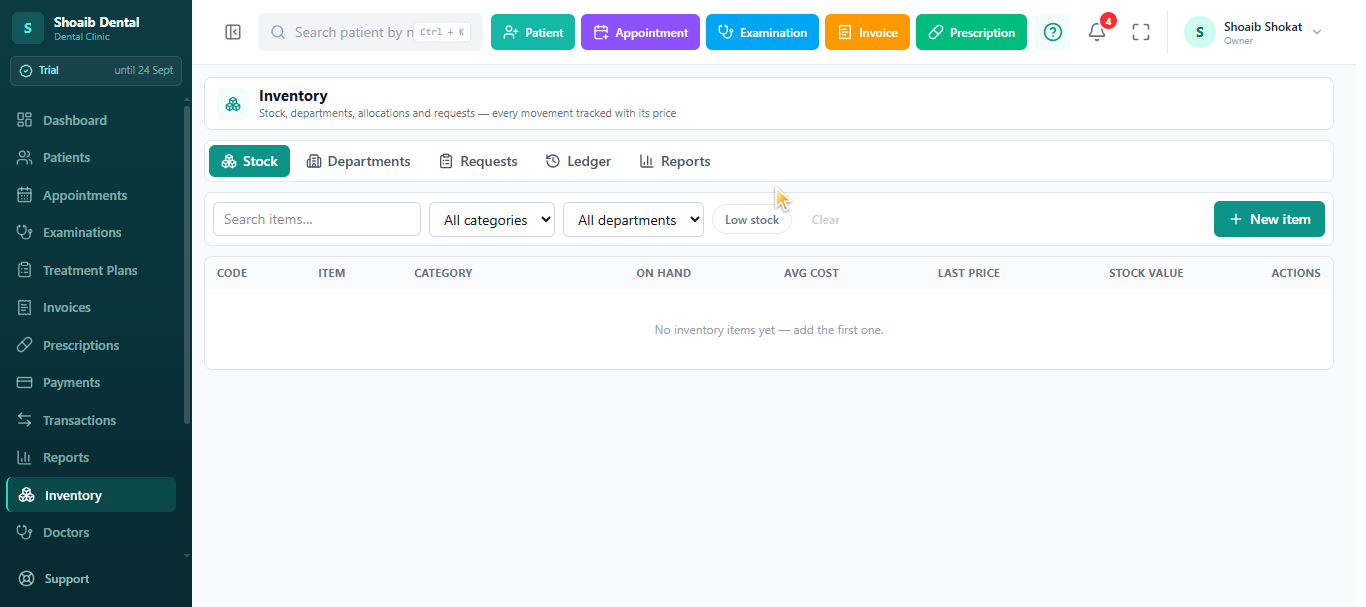
Inventory keeps stock levels of dental materials and supplies, with low-stock alerts so a material does not run out mid-procedure.
Cash-Basis Clinic Accounting
Accounting records money in and money out: patient payments, clinic expenses and doctor payouts, in a transaction ledger. It is cash-basis bookkeeping for a clinic, not a double-entry accounting suite.
- Clinic expenses
- Transaction ledger with dates and amounts
- Patient payments and doctor payouts
Dental Clinic Reports
Reports cover revenue, appointments and collections, and roll up across branches, so the owner can see what the clinic earned and collected in a period.
Clinic Settings and Dropdown Values
Administrators maintain the dropdown values used across modules, the clinic profile (including currency and letterhead) and the WhatsApp reminder templates, so data entry stays consistent for every staff member.
What the Features Do Not Include
A few honest notes for clinics in India: Dentrah does not process UPI payments, has no ABDM/ABHA integration and no GST tax module, and clinic data is not hosted in India. Patient self-booking and automated bulk SMS or WhatsApp sending are not available. Support is provided from Pakistan in English over WhatsApp and email. The dental clinic management software overview for India explains each limit.
Next: compare dental software plans and INR prices, see how a solo dentist uses the software, estimate your dental clinic setup cost in India, or request a free demo.
Dental Software Features: Frequently Asked Questions
See Every Dentrah Module on Your Own Clinic
First month free (30 days) with every feature unlocked. No credit card required.
Start Free Month Book a Free Demo